









Table of Contents

Get more resume writing tips, career insights, and workforce trends in your personalized search experience.
Get answers to common questions about Zety billing, including recurring charges, payment authorization, renewal dates, and transaction details. Learn how billing cycles work, where charges appear on bank statements, and how to review your payment history.
Can I buy a single resume download without a subscription?
Our service operates on a subscription model and does not offer one-time payments for individual downloads. Users can, however, create and download their resume completely free in plain text format without entering payment information.
Premium templates and multi-format downloads require a recurring subscription. You can review available plan options on our homepage, pricing page, and in your dashboard, or export free text files anytime.
Does the 14-day trial automatically renew into a monthly subscription?
The 14-day trial automatically renews into a paid 4-week (28-day) subscription unless canceled before the trial period ends. All renewal terms, fees, and billing schedules are clearly outlined prior to checkout, upon purchase, and in your initial confirmation email.
You can check our plans and pricing on the homepage and dedicated pricing page at https://zety.com/pricing.
To prevent automatic renewal, you can cancel your Zety subscription at any time directly through your dashboard or by contacting our Customer Service team by phone or email.
To cancel your Zety subscription:
1. Click your name in the top right corner and select Settings.
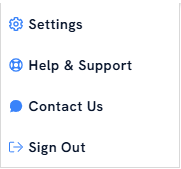
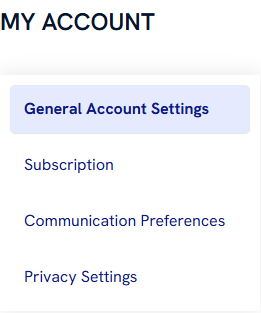
2. In My Account, select Subscription, scroll down, and click Cancel Subscription.
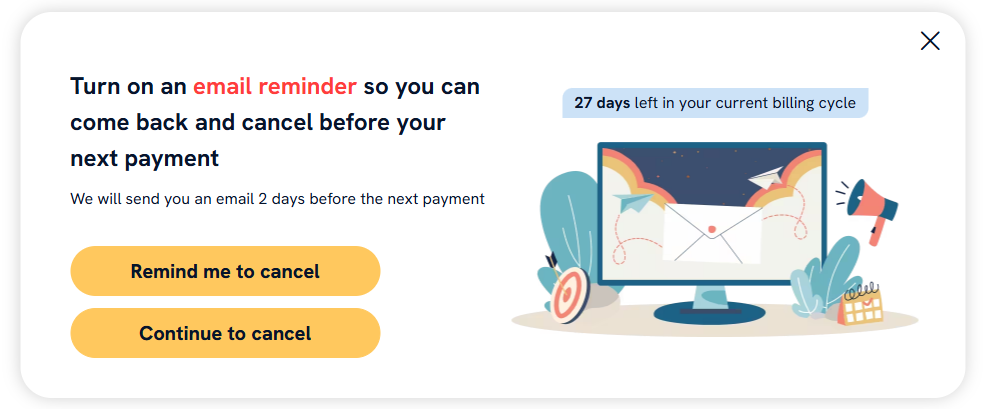
3. Select Continue to Cancel to proceed with the cancellation process.
If you have questions regarding your plan, our Customer Support team is available to assist:
Phone: 800-985-7561
Email: support@zety.com
Help & Contact: zety.com/contact
Hours of Operation (CST):
Mon–Fri: 8:00 AM–8:00 PM
Saturday: 8:00 AM–5:00 PM
Sunday: 10:00 AM–6:00 PM
(Hours may vary on observed holidays.)
What billing descriptor names appear on bank statements for subscription charges?
Subscription transactions will appear on your bank statements under descriptors reflecting our brand name. Depending on your financial institution and location, charges may be subject to standard currency exchange rates or foreign transaction fees.
Zety will appear on your billing statement as one of the following:
Zety.com
BLD*Zety.com
PP*ZETY
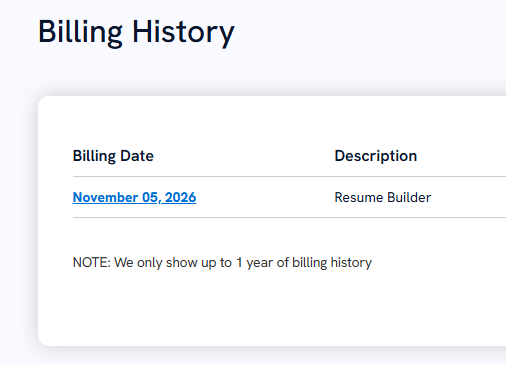
You can view your complete billing history and download receipts anytime in your account dashboard. To review your billing history:
1. Click your name in the top right corner.
2. Select Settings.
3. Scroll down and select View Billing History.

4. Scroll down and select View Billing History.
Where are recurring subscription terms and renewal details displayed during checkout?
Recurring subscription terms and pricing details are clearly displayed on the checkout page before you complete your purchase. Specific renewal rates and billing intervals appear alongside the payment summary and are reiterated in your post-purchase welcome email.
You can review your active plan details or modify your subscription at any time within your account settings. To review your account settings, select Settings. Then, once in My Account, select Subscription > Why am I still being charged after canceling my subscription?
Ongoing charges after cancellation usually mean an active subscription exists on a secondary account created with another email or social login. Canceling one account does not cancel others. Check and cancel subscriptions across all registered emails.
To prevent automatic renewal, you can cancel at any time directly through your dashboard. To do so:
- Click on your name in the top right corner and select Settings.
- Once in My Account, select Subscription.
- Scroll down and select Cancel Subscription.
- Select Continue to Cancel.
Contact support for help locating extra profiles
How does the 4-week (28-day) recurring billing cycle work?
Subscriptions operate on a fixed four-week (28-day) billing cycle rather than a calendar month. Because billing recurs every 28 days, renewal dates advance slightly each month and may occasionally fall twice within a single calendar month.
You can view your exact renewal dates or cancel your plan at any time through your account dashboard.
Why was my saved payment method charged without additional authorization?
Completing an initial purchase authorizes payment processors to store your card to automate future subscription renewals. Charges continue automatically each billing cycle until you cancel. Your transaction receipt outlines these recurring billing terms, and you can update payment methods anytime through your account settings.
Will I receive an invoice or email reminder before recurring charges?
For plans that renew every four weeks, we’ll send you a reminder of your first upcoming recurring charge within 7 days of your initial purchase. For annual plans, we’ll email you a reminder 7 to 30 days before your first renewal. You can find your billing receipts anytime on your account Dashboard. Your billing terms and cancellation details are provided in your initial receipt and are also available in your account settings.
You can manage your subscription or review your transaction history anytime through your dashboard.
Will my subscription continue to renew if my account is inactive?
Subscription renewals occur automatically each billing period to provide continuous platform access and secure cloud document storage, regardless of whether you actively log in. Under our terms, billing continues until you officially submit a cancellation request.
You can cancel anytime in your account settings, and your created documents will remain safely stored for future viewing.
To cancel:
1. Click on your name in the top right corner.
2. Select Settings.
3. Once in My Account, select Subscription.