







Table of Contents
Get more resume writing tips, career insights, and workforce trends in your personalized search experience.
What You Need to Know
- A CV should clearly highlight your qualifications, experience, accomplishments, and other information relevant to the position.
- A well-organized CV typically includes sections for your contact information, education, work experience, skills, and other relevant credentials or achievements.
- Tailoring your CV to the position can help emphasize the qualifications and experience most relevant to the opportunity.
- The format and sections of a CV can vary depending on your industry, experience level, and the type of position you’re pursuing.
A well-organized CV helps employers quickly understand your qualifications, experience, and accomplishments. Whether you’re applying for an academic position or another professional role, the key is to present your background clearly and focus on the information that best supports your application.
This guide walks you through each section of a CV and offers practical writing tips, a professional template, and examples.
Want to save time and have your CV ready in minutes? Try Zety’s mobile-friendly CV builder. Choose from 20+ professional CV templates, customize ready-made content, and build your CV on any device.
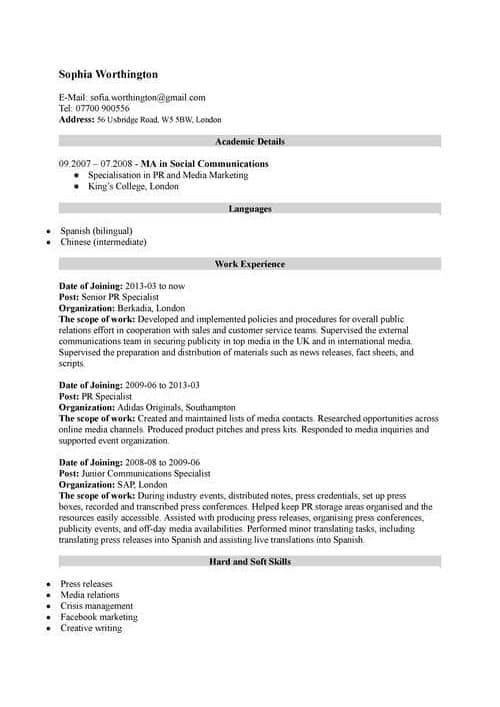
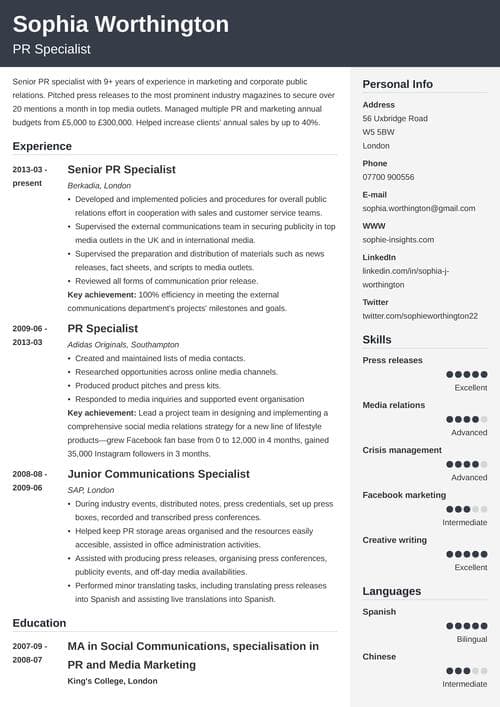
Sample CV made with our builder—See more CV samples here.
What Is a CV?
A CV, or curriculum vitae, is a document that provides a detailed overview of your professional and academic background, including your experience, education, skills, publications, and achievements.
In the U.S., Canada, and Australia, CVs are mainly used when applying for jobs in academia, research, and medicine, where a full record of your qualifications is important.
In many countries outside the U.S., including the UK and much of Europe, a CV is the standard document for job applications. But CV terminology and expectations vary by country and industry, so always check the job posting and confirm local conventions before applying.
What Is the Difference Between a CV & a Resume?
A CV and a resume differ in a few ways:
- Length: Resumes are a one- or two-page snapshot of your qualifications. In contrast, a CV can run several pages long.
- Purpose: In the U.S., resumes are the standard document to apply for jobs, while a CV is mainly used in academia, research, and medicine.
- Content: Resumes should be tailored to every job, showing only the most relevant credentials. CVs include your complete work experience, academic background, skills, and other qualifications.
If you’re unsure which document to submit, carefully review the job posting or ask the employer which format they expect. If you’re applying for a position that requires a resume instead, see our guide on How to Write a Resume.
How to Write a CV in 7 Steps
To write a CV, organize your contact information, professional summary, work experience, education, skills, and other relevant qualifications in a clear, easy-to-scan format.
A good CV is tailored to your goals, highlights your strongest qualifications, and makes your experience easy to scan. Whether you’re applying for an academic position or an international role, follow these seven steps to create a professional curriculum vitae for a job application:
Step 1: Gather Your Information
The first step in writing your CV is gathering your career information. Make a list with the following:
- Education credentials: Institutions you attended after high school, along with your degrees, honors, awards, and theses or dissertations
- Work experience: Past job titles, company names, locations, employment dates, responsibilities, and achievements
- Skills: Hard, soft, and technical skills relevant to your field
- Publications and presentations: Papers you’ve written or conferences where you’ve presented, if applicable
- Certifications or licenses: Specialized training or credentials you’ve earned, along with the completion date
- Professional affiliations: Memberships in industry organizations, if applicable
- Awards and honors: Scholarships, grants, or other professional or academic recognition you’ve achieved
Step 2: Add Your Contact Details
Once you have your professional CV template, you can start adding your contact information. Include the following:
- Your full name
- Phone number
- Professional email address
- City, state/province, country
- LinkedIn profile and portfolio, if applicable
Here’s an example of contact information on a CV:
Jordan Lee
Austin, TX, USA
(512) 555-0147 | jordan.lee@email.com
linkedin.com/in/jordanlee | jordanlee.com
Step 3: Write a Professional Summary
A concise professional summary can quickly highlight your most relevant qualifications.
In four sentences or less, highlight your strongest accomplishments, skills, and qualifications. Focus on information that demonstrates your fit for the position or field.
Here’s an example of a professional CV summary:
Detail-oriented anthropology researcher with a strong background in ethnographic fieldwork, cultural analysis, and academic writing. Experienced in conducting qualitative and quantitative research across diverse cultural settings, focusing on medical anthropology. Proven ability to manage complex projects, present findings at academic conferences, and publish in peer-reviewed journals. Committed to advancing anthropological knowledge through ethical research practices, interdisciplinary collaboration, and meaningful community engagement.
Step 4: List Your Work Experience
Your CV should list your relevant positions in reverse-chronological order and include additional experience when it aligns with your field or application. Include the job title, company or institution name, employment dates, and locations. Use bullet points to describe your responsibilities and achievements.
Highlight measurable accomplishments whenever possible by including numbers, percentages, or other results.
Here’s an example of a well-written work experience section:
Project Manager
Day Solutions | London, UK
February 2026–Present
- Implement Agile Scrum methodologies, which have successfully reduced project delivery time by 20%.
- Delivered a complex CRM integration project 15% under budget, resulting in $180K in cost savings for the client.
- Oversee budgets averaging $1.2M and collaborate with vendors, developers, and QA teams throughout project lifecycles.
Pro Tip: Use strong action words to make your ideas stand out and show that you are ready to take charge.
Step 5: Create Your Education Section
Your education section is especially important if you’re applying for academic or research positions. Write the degrees you’ve earned, starting with the highest one. Include the school’s name and your graduation date. If you haven’t yet graduated, include your expected graduation date instead. Add any academic honors, awards, theses, or dissertations as well.
Here’s an example of a CV education section:
Master of Arts in Anthropology
University of Texas | Austin, TX
May 2026
- Thesis: “Narratives of Resilience: Cultural Memory and Identity Among Displaced Communities in Central America”
- Honors: Dean’s Graduate Honor List, 2024–2025
Bachelor of Arts in Anthropology, Minor in Latin American Studies
Barnard College | New York, NY
May 2023
- Honors: magna cum laude
- Senior Capstone Project: “Traditional Healing Practices in Contemporary Urban Settings”
Pro Tip: If you’re a student or recent graduate, consider adding relevant coursework that directly relates to the position.
Step 6: Highlight Your Skills
Include a mix of soft and hard skills that demonstrate your ability to perform the job and work effectively with others. Hard skills show what you can do, while soft skills show how you communicate, collaborate, and solve problems.
Soft skills can include:
- Active listening
- Analytical thinking
- Leadership
- Problem-solving
- Time management
Hard skills can include:
- Budget management
- Computer skills
- Data analysis and reporting
- Project management software
- Scheduling and planning
Here’s an example CV skills section:
Skills
- Strategic planning
- Stakeholder engagement
- Presentation development
- SQL
- Salesforce
- Market research
- Conflict resolution
- Process improvement
Step 7: Include Optional CV Sections
Remember, a CV is a detailed account of your career. Any credential that shows your expertise should be included in your document.
You can add:
- Professional memberships
- Industry awards
- Conferences and publications
- Hobbies and interests
- Projects
- Volunteer experience
- Freelance work
Here’s an example of volunteer experience on a CV:
Volunteer Experience
Volunteer Coordinator
Austin Community Food Bank | Austin, TX
March 2026–Present
- Coordinate weekly volunteer schedules for 30+ participants and ensure coverage for food distribution events.
- Train new volunteers on safety procedures and distribution processes.
- Help organize monthly community food drives serving more than 500 residents.
Copy-&-Paste Professional CV Template
Use this simple professional CV template as a starting point. Replace the placeholder text with your own information, adding or removing sections based on your field, experience, and application.
[Full Name]
[Phone Number]
[Professional Email]
[City, State/Province, Country]
[LinkedIn Profile]
[Portfolio or personal website] (Optional)
Professional Summary
[Write 2–4 sentences highlighting your experience, strongest skills, and career goals.]
Work Experience
[Job Title]
[Company Name] | [City, State/Province, Country] [Month Year]–[Month Year]
- [Achievement or responsibility]
- [Achievement with measurable results]
- [Relevant accomplishment]
Education
[Degree]
[School Name]
[Graduation Month Year]
[Honors, thesis, or relevant coursework] (Optional)
Skills
- [Skill]
- [Skill]
- [Skill]
- [Skill]
- [Skill]
Certifications (Optional)
[Certification Name] | [Year]
Publications (Optional)
[Publication Title], [Publisher or Journal] | [Year]
Projects (Optional)
[Project Name]
[Brief description of the project and your contributions.]
Awards & Honors (Optional)
[Award Name] | [Year]
Professional Memberships (Optional)
[Organization Name]
Pro Tip: Customize your CV for the role or region you’re applying to by including only the sections that are relevant to your experience and the employer’s expectations.
Professional CV Examples
These professional CV examples show how to organize your experience, education, skills, and other qualifications for different career paths and experience levels. Use them to see how effective CVs present information clearly and professionally, then apply the ideas to your own experience.
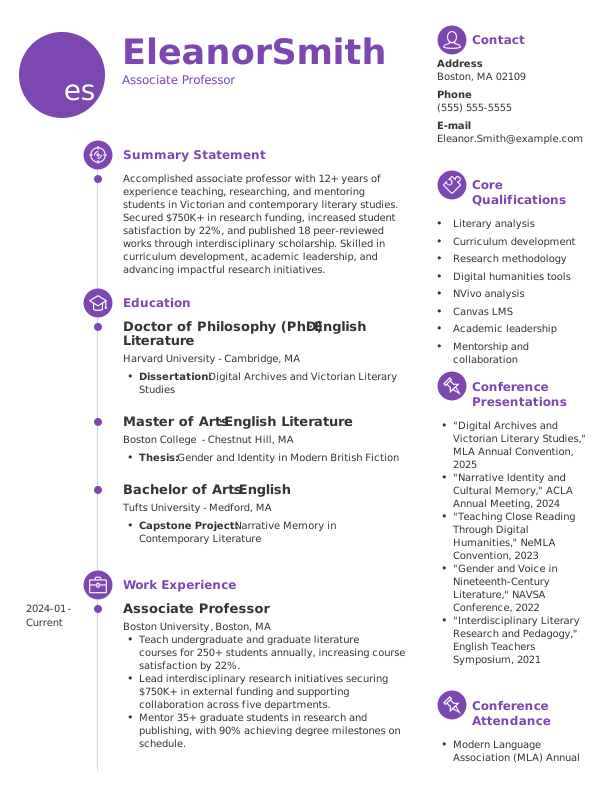
Academic CV Example
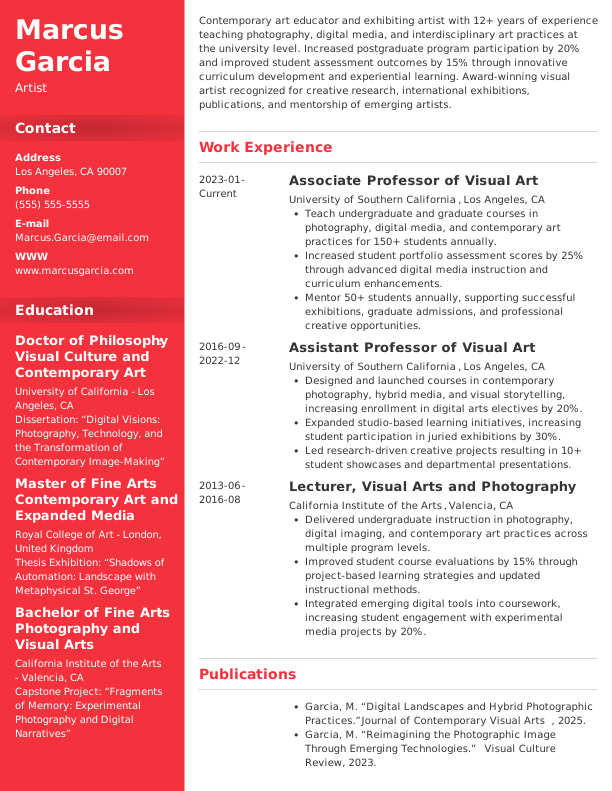
Artist CV Example
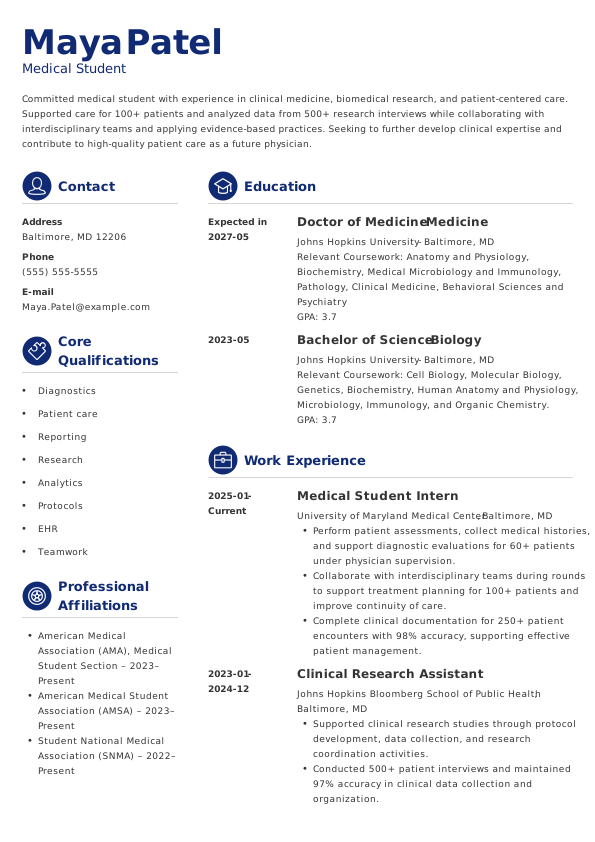
Medical Student CV Example
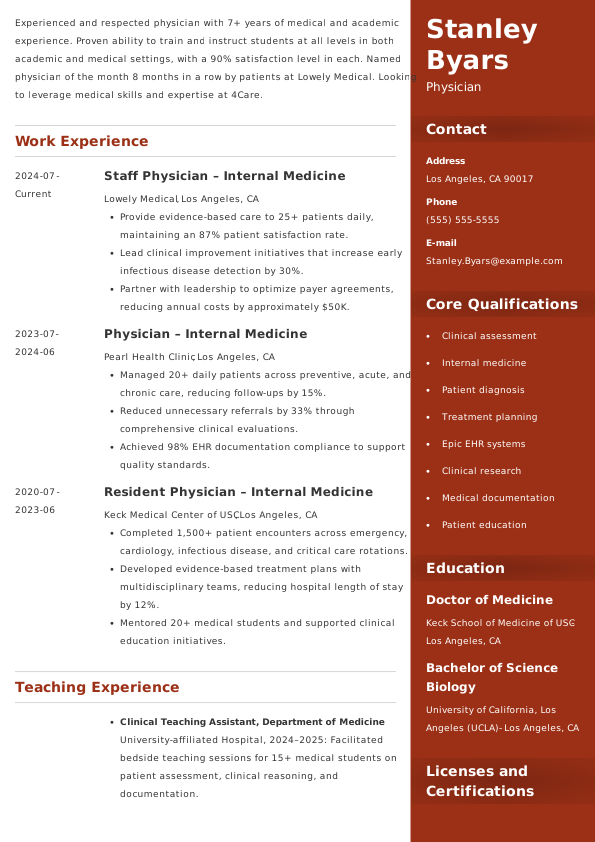
Physician CV Example
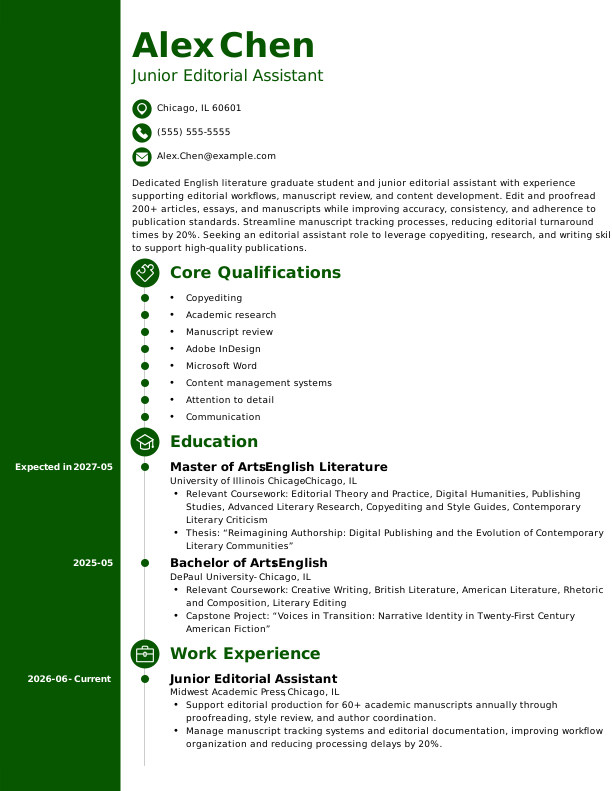
Postgraduate CV Example
Need more inspiration? Browse our library of more than 600 professionally designed CV templates to find a format you can customize for your experience, field, and career goals.
CV Writing & Formatting Best Practices
The best CV format is clean, consistent, and easy to scan, with clear headings, readable fonts, and concise bullet points. Follow these tips to ensure your CV stands out from the competition:
- Use a professional font, like Arial or Times New Roman, in 11- or 12-point size.
- Organize your CV with clear section headings.
- Start bullet points with strong action verbs.
- Left-align your text for readability.
- Use consistent 1-inch margins.
- Proofread for spelling and grammar.
- Save your CV as a PDF unless the employer requests another file format.
Key Takeaways
Now that you know how to write a CV, here are the key points to remember:
- CVs provide a comprehensive overview of your education, experience, skills, and achievements, so they often span multiple pages.
- In the U.S., resumes are the standard for most jobs, while CVs are typically used for academic, research, and medical positions.
- In many other countries, including the UK and much of Europe, a CV is the standard document for job applications, but terminology and expectations vary by country and industry.
- Include your contact information, professional summary, work experience, education, and skills. Add certifications, publications, awards, or other sections that strengthen your qualifications.
- Use bullet points, professional fonts, and clean formatting to make your CV easy to read.
- Tailor your CV whenever appropriate, keep it up to date as you gain new experience and skills, and proofread carefully before submitting it.
Frequently Asked Questions
How do I write a good CV for a job?
To write a good CV for a job, clearly present your qualifications and tailor your content to the position. Include your contact information, professional summary, work experience, education, skills, and other qualifications relevant to the role. Use concise bullet points to highlight accomplishments, choose easy-to-read formatting, and proofread your CV carefully before submitting it.
What is the seven-second rule for CVs?
The seven-second rule is a commonly cited idea that recruiters may spend only a few seconds initially scanning a CV before deciding whether to keep reading. To make those first moments count, use clear section headings, concise bullet points, and a professional summary that quickly highlights your most relevant qualifications.
How should a CV look in 2026?
A modern CV should be clean, easy to read, and well organized. Use a professional font, consistent formatting, clear section headings, and bullet points to highlight accomplishments. Keep the layout simple and ATS-friendly, and avoid graphics or overly complex designs unless they’re appropriate for your industry or the application instructions.
What’s the difference between a resume and a CV?
A resume is typically a concise, job-specific summary of your qualifications, while a CV provides a more comprehensive overview of your education, experience, publications, certifications, and other credentials. In the U.S., CVs are commonly used for academic, research, and medical positions, while terminology and expectations vary by country and industry.
Can you give me an example of a good CV?
A good CV clearly presents your contact information, professional summary, work experience, education, skills, and other qualifications relevant to your field. The copy-and-paste CV template above provides a simple starting point, and the professional CV examples show how to organize and present your information for different careers and experience levels.
Can ChatGPT write a CV for you?
ChatGPT can help you draft, organize, or improve a CV, but you should review the content for accuracy and tailor it to the position you’re applying for. Provide accurate information about your experience and accomplishments, and make sure the final CV reflects your own qualifications rather than relying on generic or AI-generated claims.
What are common CV mistakes to avoid?
Common CV mistakes include spelling or grammar errors, inconsistent formatting, vague descriptions of responsibilities, outdated or irrelevant information, and submitting the same CV for every job. Avoid these mistakes by tailoring your CV to the position, highlighting measurable accomplishments when possible, using consistent formatting, and carefully proofreading before submitting it.
What are the five main things your CV should include?
The five main things your CV should include are contact information, a professional summary, work experience, education, and skills. Depending on your field, you may also include certifications, publications, awards, projects, volunteer experience, or professional memberships that strengthen your qualifications.
About Zety’s Editorial Process
This article has been reviewed by our editorial team to make sure it follows Zety’s editorial guidelines. We’re committed to sharing our expertise and giving you trustworthy career advice tailored to your needs. High-quality content is what brings over 40 million readers to our site every year. But we don’t stop there. Our team conducts original research to understand the job market better, and we pride ourselves on being quoted by top universities and prime media outlets from around the world.

Follow Zety as a preferred source in Google
Get more resume writing tips, career insights, and workforce trends in your personalized search experience. Learn more >

Share:


